I. Step 1: Launch EC2 Instance & Open Ports
The most important step for AWS is configuring the Security Group to allow traffic.
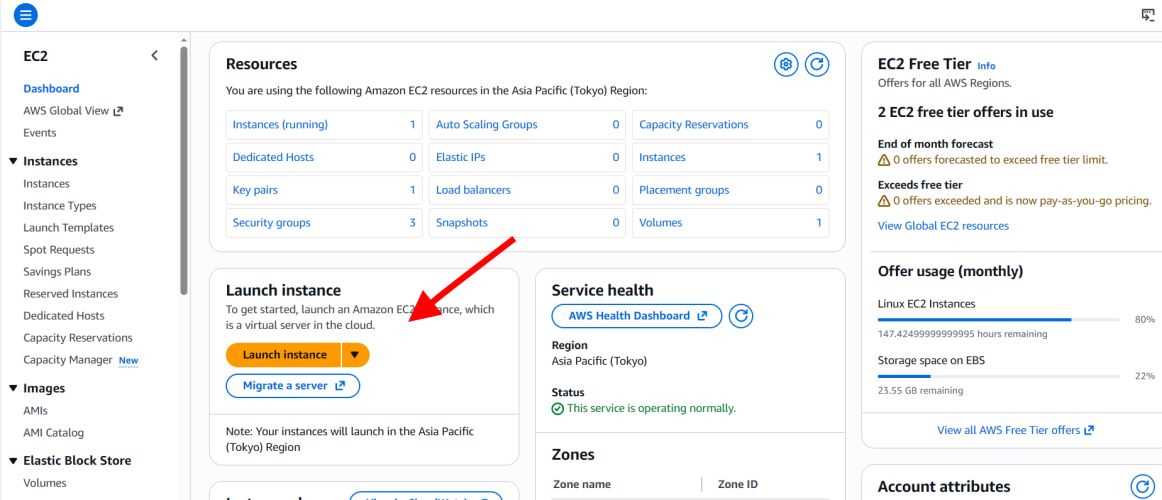
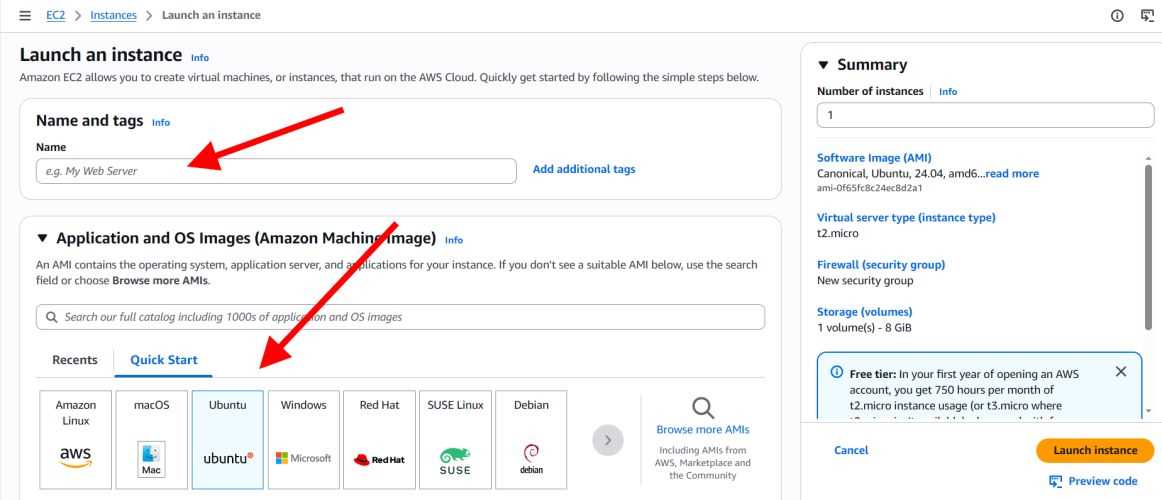
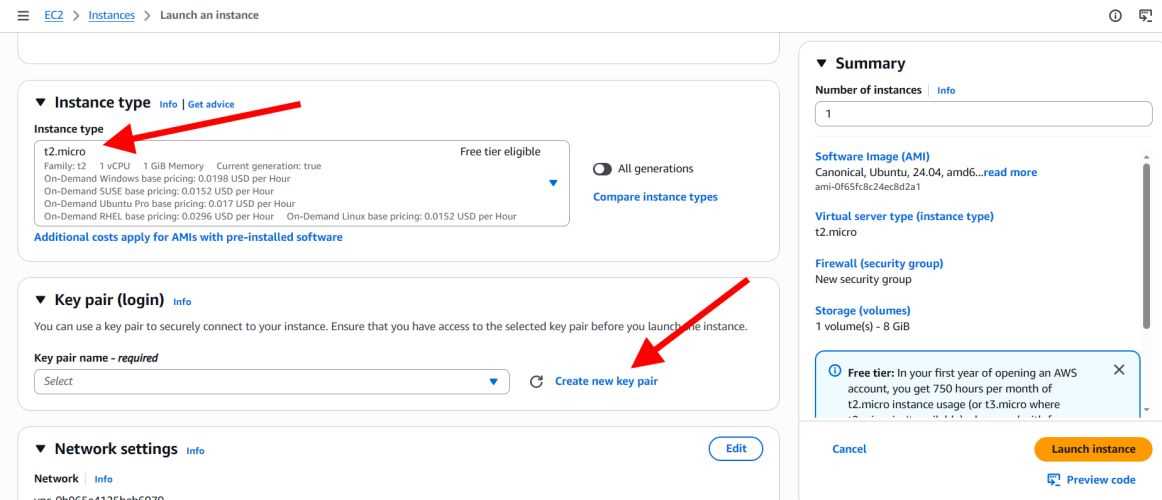
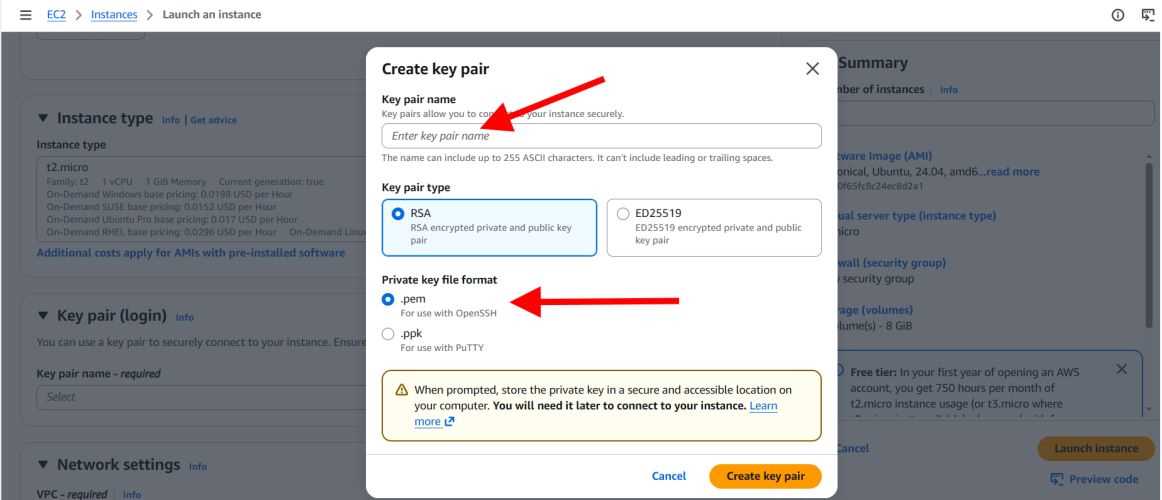
- Log in to AWS Management Console -> EC2 -> Launch Instance.
- Choose Ubuntu Server 22.04 LTS (Recommended).
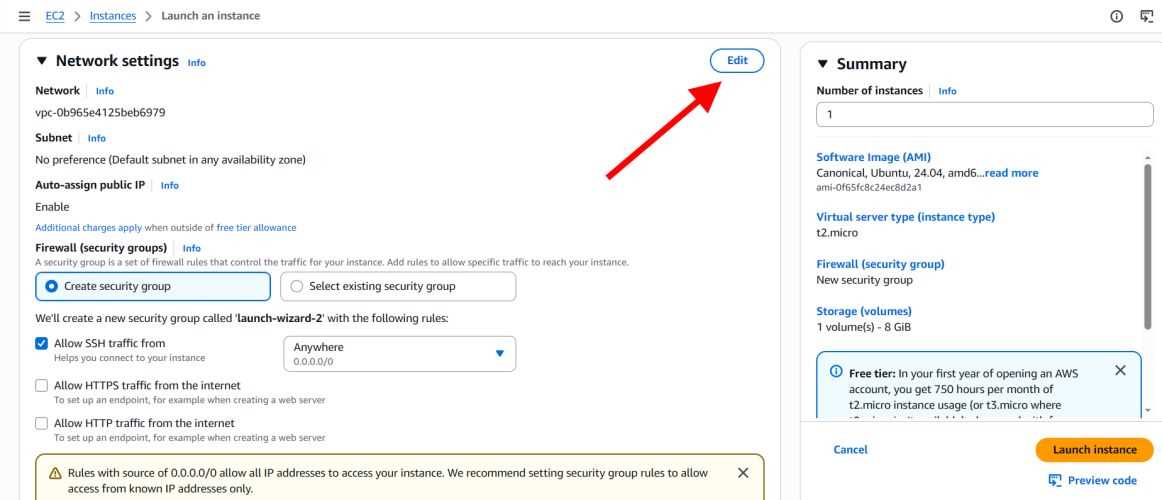
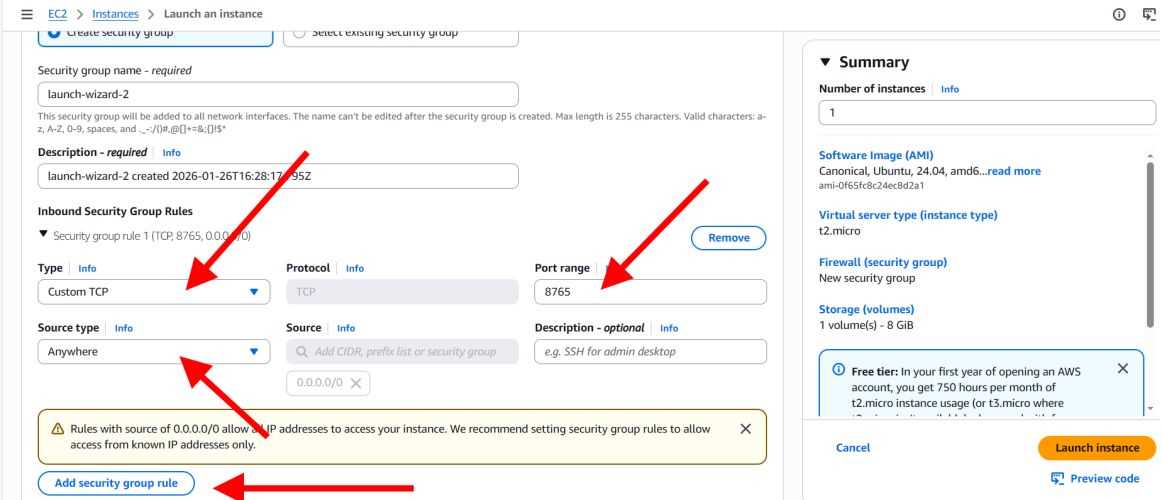
- Critical Step: In "Network settings" / "Security group", add these Inbound rules:
- SSH (TCP 22): My IP (for your access).
- Custom TCP (8765): Anywhere 0.0.0.0/0 (for Client connection).
- Launch the instance.
II. Step 2: Install the Bot
Once your EC2 is running, connect to it via SSH and use our Auto-Installer.
For Windows users:
ssh -i your-key.pem ubuntu@your-ec2-public-ip
For Mac/Linux users:
ssh -i your-key.pem ubuntu@your-ec2-public-ip
Then, run this single command to install the bot:
✅ Run the Auto-Installer:
curl -sL https://raw.githubusercontent.com/prime-trading-bot/prime-spot-dca-trading-bot/main/install.sh | sudo bash
That's it! The bot is now running and ready to connect.
📂 Where are my files?
The Auto-Installer places the application entirely inside the following directory:
/opt/Prime-Spot-DCA-Trading-Bot/server
Inside this folder, you will find:
server.bin: The main executable running in the background- The log files (useful for checking API errors or connection status
- TLS certificates for secure connections
- The state & config files